

The 4K DSLR Revolution, Part 2: Essential Tools for Production and Post
From the HD Pro Guide Magazine archive: this article first appeared in HD Pro Guide Magazine, Vol. 2, No. 5 (2014). By Al Caudullo.
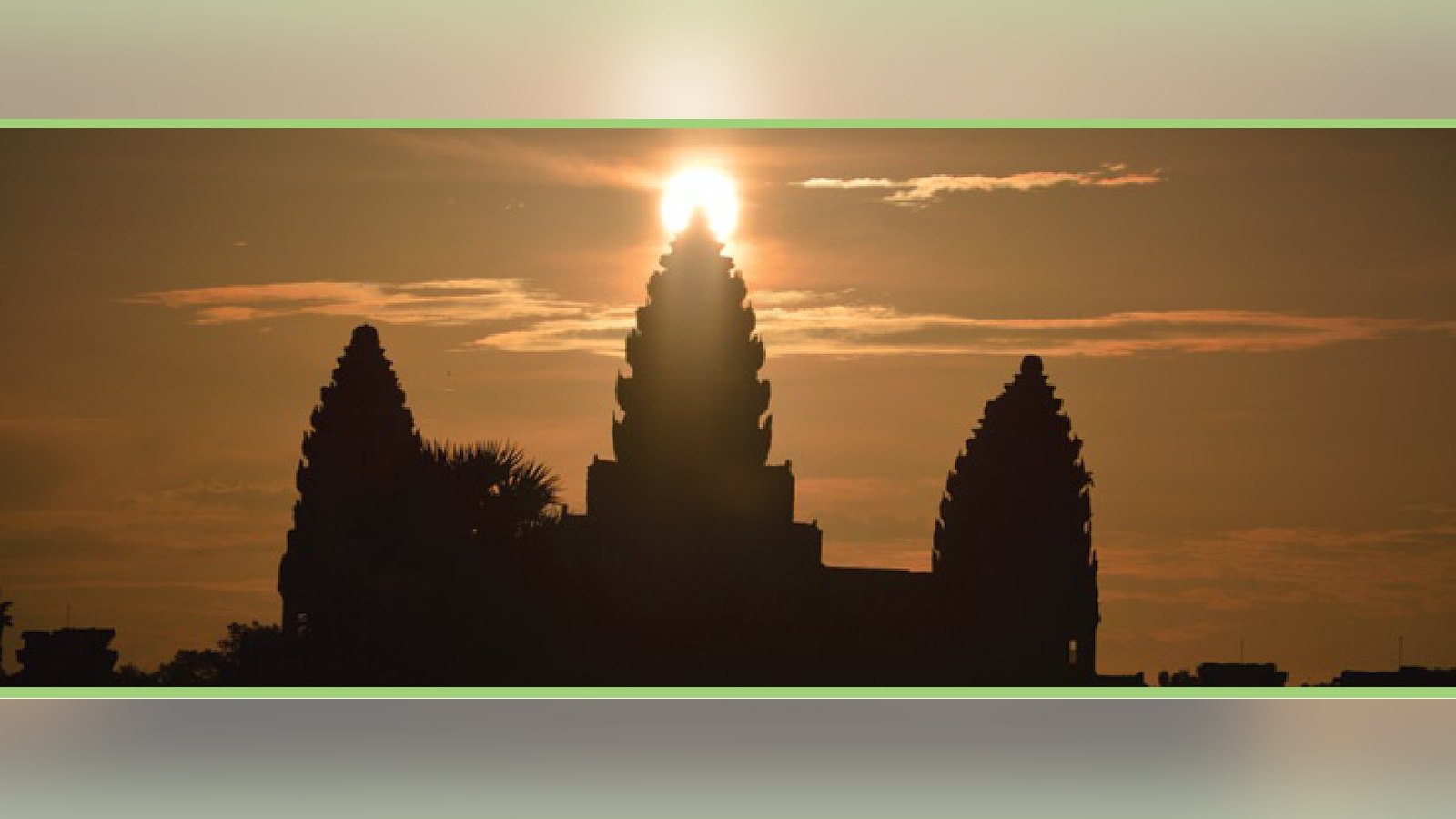
By Al Caudullo 4k dslr revolution is Here | PaRT 2 Essential Tools for Production and Post Production The only thing that matches the extreme beauty of Angkor, is the extreme heat. Nuon Chansurak, our guide and fixer made sure my wife and co-producer, Sompao "Bee" Caudullo stayed hydrated. I think we could've created our own recycling plant with the number of plastic bottles of water that we went through.
Even having lived in Bangkok for 12 years, the heat at Angkor was unrelenting. Our grip, Siem Sokha, was unfazed by the heat and carted the equipment throughout the 8 day shoot with ease.
The CAME 7500 gimbal was put to test several times and was key to some very important shots. The helicopter shots in particular benefited from the smooth accurate handling.
Our boat shots were smooth as glass as were our walking shots thru the small waterside village. The carbon fiber made the weight of the unit optimal, along with the addition of the 3D printed quick release mount which weighed in at a mere 15 grams. The joystick was responsive and gave us shots that would not have been possible otherwise.
I really can't say enough about our Edelkrone Slider Pro. It added so much to our shots and was so amazingly easy to use. Push ins, pull outs, dolly left and right. I even tilted the tripod to elevated crawl shots. The award winning design allows you to extend the slider to twice its length. With ours, we were able to get 2.3 feet of slide distance with the simplicity of being tripod mounted. The only thing I could have wished for was to have the Action and Target module. This would have made our timelapse and hyperlapse shots much easier. By the end of every day, our multiple Panasonic XDXC-I 64 gig, class 10 cards were full and ready to be downloaded as soon as we returned to our hotel. Downloading in the field can be an unsettling and nerve-racking process. Just the thought of files being corrupted during download can start waves of panic over the most stalwart producer.
For these reasons, I chose Red Giant Shooter Suite and BulletProof. The newest version has proven its reliability with me. I loaded up my Toshiba Qosmio i7 laptop with the full suite of BulletProof, Denoiser II, Frames, Instant 4K, LUT Buddy and Plural Eyes. But, honestly, BulletProof was the only thing that I found myself using on the road. Version 1.2.1 has come quite far since the original 1.0 version, which I found to have good intentions but short on practical usage. Not so with this version. While there is still limited use of 4K, you can only export copies of original files or lower res proxy, it handles the GH4 files with ease. I look forward to seeing edit friendly formats added to the export section as well as Waveform Vectorscope & RGB Parade in the "Refine" section. I've been told by Red Giant that this is on the way.
The "Import" process is smooth and easy. First, create a catalog. From there, you decide where you want the files to reside. Finally, you tell it where you want a backup copy made. In my case, separate data drive in the laptop was home for the originals. An additional USB external drive was the home for the backup. Once you decide on these locations, you click "Start Import" and go relax, BulletProof does the rest. While it's not perfect yet, this is the best media management program I have seen on the market. It performs a checksum on each file to make sure that it is exactly copied, and then, exactly backed up with no errors. There can be no worse a fate than to lose an irreplaceable shot. By the time I finished showering, the downloads were complete. Next came the task of reviewing. This is essential when you are on location and not close to home. By reviewing you could always check to see if there was something that you missed or something that you wanted to shoot a little differently the next day. BulletProof allowed me to mark in and out points and shot notes keywords and made a data for later use. I can also rate my favorite shots and color code, mark with a five star rating system and/or mark "keep" or "reject". I set up several presets for basic slate, camera and even copyright information that I applied with a single click to each of the clips. Not wanting to stay up all night to go through all of this in all of the clips I will admit that I shot gunned through to make sure I had good taste. But when I returned to my studio, I transferred the files to my RAID DOCUMeNTaRY 4K DSLR Revolution is Here, Part 2 and backup drives. One stone I "reconnected the folders" and continued the process of rating and selecting my clips.
I admit I was initially skeptical about this workflow. In testing beforehand, I found that straight downloading using a USB 3.0 reader was definitely faster, but the peace of mind of knowing that the clips were 100%, far outweighed the very small time difference. I am now definitely hooked on this process. If you really want to get into it, the "refine" section allows you to preview your clip with color correction using lots of color wheels and quite a bit more. These are all done as nondestructive edits that can either be eliminated at export or kept and exported as changes to the exported file. Honestly, until I get Waveform Vectorscope & RGB parade, I don't feel comfortable keeping the changes, but it is a nice feature to be able to apply a LUT or a Curve to see what the finished color graded version might look like.
Thanks to the streamlined process, within two days of returning to the studio, I was able to crank out a two-minute teaser much faster than I have been able to in the past
Much has been said about the Panasonic GH4 giving results like a $50k camera. I am here to tell you, it's all true, and then some. Till now, I was a DSLR snob. I always believed that you needed a big camera to get big results. But this camera has changed my mind. That really was the task I set for myself, and the GH4 has altered my views forever. I am totally hooked on this beauty of a small camera that gives big camera results.
The edit process is in full swing now. I can say in all sincerity that my chosen systems all worked perfectly. The story has yet to be completed but the process of collecting the content needed to tell that tale has been simplified in ways that I could have never imagined. There is no doubt in my mind that the Panasonic GH4 is a revolutionary camera. 3D printing is a godsend and will increase in its uses. This device is still a toddler and has quite a healthy future ahead of it. Software like Red Giant Shooter Suite will continue to streamline our 4K and eventually 8K workflow. And Chinese alternatives like the CAME 7500 gimbal show us that quality is rising while cost are coming down. It is always healthy to have this kind of competition in the marketplace. It benefits the filmmaker and the film watchers. As you might already know, for 3D I am a strict Edius user. Unfortunately, for 4K, Edius does not yet have GPU support. That fact, plus the very tight integration with After Effects, prompted me to revisit Premiere Pro CC. I am very impressed with the new features and workflow. I love the "pancake" ability of the timelines. The new "search bin" as well. The biggest plus is the way BulletProof integrates so well. In the final stage of BulletProof, all the metadata information that you register for each clip is embedded in the XMP data. It is specifically designed for use in Premiere Pro CC.
This is a fantastic help during the edit process. My system is to label with specific information in groups. For instance, "D1_AW_Temple-01" would represent Day 1, Angkor Wat, temple shots, and the numbers would then go sequentially. In general, we would visit several different places in one day. Eight days of shooting yielded about 1TB of footage. Much less than other 4K cameras but still a tremendous number of clips.
Red Giant's other product integrates very well in Premiere Pro. Colorista II primary and secondary color controls are a fantastic plus. Matching that up with the new masks and built in tracking enable me to stay in Premiere to do things that I used to externally. The new enhanced workflow between Premiere and After Effects makes life as an editor much easier and almost stress-free.
At least when it comes to adding After Effects components to a shot. Plus being able to go back and make changes with the same clip is an absolute joy.
The new transitions with Boris Continuum Complete 9 are great. Fast Film Dissolve and Lens Flare Dissolve are two new transitions I find essential for this project. I have been using BCC's 3D Extruded Text for titles. And the Optical Flow filter does a fantastic job for slowing down or speeding up shots without losing required 4K image resolution crispness.
An editor's toolbox must always be filled with a variety of tools. Every project has different needs. I am always looking for new plug-ins to make my job easier while enhancing creativity. The Angkor project has been a unique challenge.
Wildly varying locations, extreme temperatures, constraints of working in a foreign environment, all of these factors and more. The edit is where you make it or break it. Finding the story within the story in a documentary is a tremendous challenge to the independent filmmaker. All of my tools, both production and post production are vital to making a visually compelling story that people want to watch. Watch the New Teaser: https://vimeo.com/110225861
More from HD Pro Guide: get new production, broadcast and post stories every week with the free HD Pro Guide newsletter.
