

Cinematographer Michael Aku Rodriguez on His Projects, Gear and Staying Current
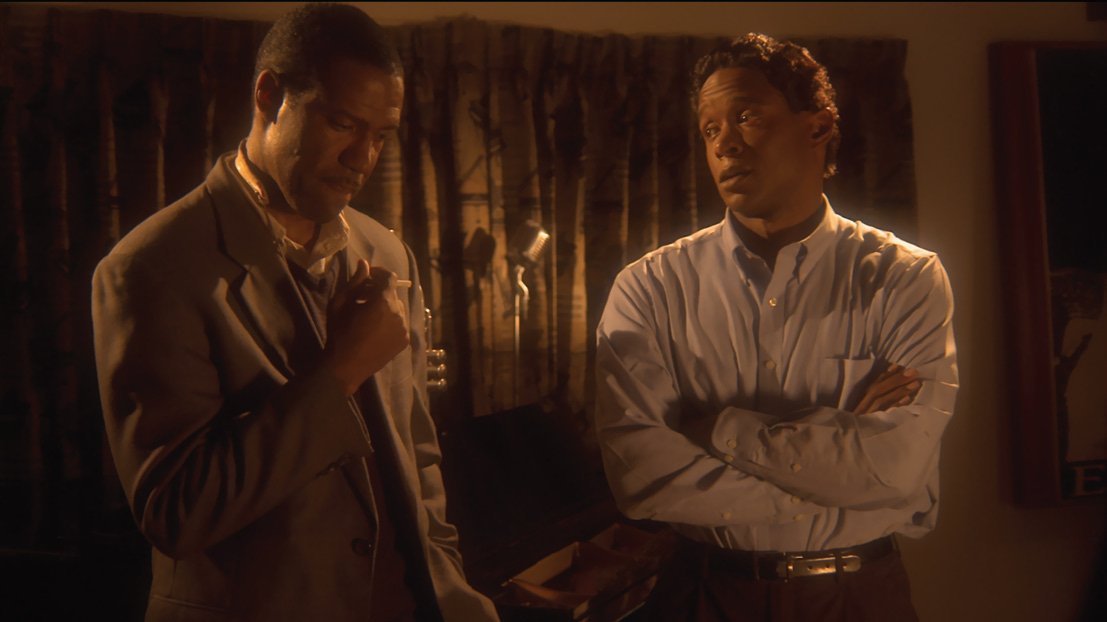
From the HD Pro Guide Magazine archive: this member interview first appeared in HD Pro Guide Magazine, Vol. 2, No. 1 (2014).
Cinematographer, director and composer Michael Aku Rodriguez works mostly on documentaries and independent films focused on social change, and shoots almost everything on RED cameras. In this interview from our HD Pro Guide Network series, he talks about his projects, his RED Scarlet and RED ONE MX, his 4K post workflow and the gear he can’t work without.
Tell us about some of your recently completed and current projects.
Michael Aku Rodriguez: I just finished two documentary films, one feature film that is in pre-production, and one documentary that is filming. One was a documentary I shot as DP and produced in Puerto Rico called La Gran Falacia, with a team I helped shoot their first film. The second was a documentary in Fort Worth, Texas, called I See World Peace, where I helped with sound. The third is an action film by director William Kaufman called Burning Sun (in pre-production).
The film that matters most to me right now is one I’m directing, producing, editing, composing and shooting: The Walls of Peace, about understanding art and the healing it creates within us. My work has pushed me more and more toward projects about social change and justice. I’m also on two more projects that will be shot on RED cameras: one has to do with history and the change it has created for all of us, and the other is a feature-length film that’s sci-fi, mystical and based on true events. Being Native American and Spanish, I was raised with a native spiritual upbringing that let us be free in understanding our surroundings and our path to ourselves, others and nature. I’m also shooting a short film and developing a web series about four people’s lives in the Midwest.
A very important project for me is an organization I created called Zoom On A Star D. Stories, which teaches digital media technology to at-risk youth, mostly from low- to moderate-income households, so they can tell stories through digital images. It received a National Endowment for the Arts education grant for teaching children and teens to look at life differently through film, art and photography.
You own a RED Scarlet and a RED ONE MX. What cameras do you own, rent and work with?
Rodriguez: I’ve always been a RED fanatic and have admired what it can do in the field. I own a RED ONE MX, a Scarlet, and some Canon 5D Mark IIs and 7Ds, and I’ve been looking at adding a second RED ONE MX and an EPIC. I’ve tried a lot of cameras, including the ARRI Alexa series, Sony F5, Canon C300 and C500, and the Blackmagic Cinema Camera, but none gave me the same sense of performance in the field as RED. With new equipment arriving every year, you have to look not just at image quality but at durability. Don’t get me wrong, there is some great gear coming out, and some I would stay away from.
I also rent out my gear and offer my services when I’m not on my own productions. These days you have to find different ways to keep income and funding coming in.
What is it like working with the RED Scarlet and RED ONE MX?
Rodriguez: I know cinematographers who won’t touch a RED camera and some who just can’t stand them. Personally, RED has never let me down. The two cameras each have their own strengths. The Scarlet’s main advantage is that it’s lighter, at least until you get the Dragon upgrade, which gives the Scarlet the push it needs for the big leagues, at a hefty price. The RED ONE MX has been a workhorse for me: better performance in general, and cheap media on hard drives that have never failed me, not once. RED ONE MX cameras were still used on high-end sets; they have a wider field of view (4K 16:9 gives more field of view and resolution than 4K HD) and many usable slow-motion modes. On a top-budget production, a Scarlet would usually be the B-camera.
Another thing I like about the Scarlet and REDCINE-X is exporting high-resolution stills. With the Scarlet you can shoot 5K motion at 12 fps and export 5120×2700 images, which are more than enough for print. For a still photographer (I’m one myself), the advantage is the sheer volume of frames you get from shooting motion. Convergence has come full circle: we used to have still cameras that shot video, and now we use motion picture cameras to capture high-quality stills.
Are these cameras easy to learn?
Rodriguez: It depends on the person and their background in the industry. It was easy for me because I’ve always been passionate about filming and equipment; I could spend days learning something new and love it. If you have the willingness, effort and passion to learn, you can move forward with anything.
What are the workflow advantages of the Scarlet and RED ONE MX?
Rodriguez: Every year something changes, and you have to buy a component that didn’t fit or install an upgrade, so the real question is the budget for upgrading your system. The Scarlet workflow is about the same, except you buy more gear like the RED Station Mag, RED Station Base and REDMAG SSDs (at the time, $1,250 for 128GB or $3,900 for 512GB). With new editing systems coming out, it’s only going to get easier.
How has HD technology changed your work as a camera operator?
Rodriguez: Over the last decade, wagon trains full of new cameras, sensors, compression schemes and production protocols have arrived. The roles of cinematographers, producers and editors have shifted in what used to be an orderly flow from production to post. HD came in as a secondary thing; nobody wanted to jump on the wagon in case it faded away, and film was still king. Now HD is the flow of our tomorrows. Every year I hear about the “next big thing,” so you have to be careful what you buy, because in five years the technology will be the past. HD is a great thing if you know what you’re buying, and a negative if you don’t.
It’s amazing what we can do in post now that we couldn’t a decade ago. We can take affordable portable systems into the field that do exactly what we need, use 4K recorders that save hours in post, and work with cameras far lighter than the 25- to 30-pound bodies I remember, so we can put them in tight spots and be more creative. Editing on a laptop, or owning your own editing system, used to be unheard of. HD technology has cut the time in half.
Tell us about your post-production process.
Rodriguez: I capture RAW files to two REDMAG 1.8-inch drives and transfer the 4K files to my Mac Pro with a RED Station. Working with 4K takes several more steps to prepare for a nonlinear editor than, say, a Canon C300, whose XF codec works natively in any NLE. To view and work natively with 4K files I use a RED ROCKET card. On the Mac Pro I transcode the 4K files to 1920×1080 ProRes 422 in REDCINE-X for editing in Final Cut Pro, then store everything on a 32TB rack-mount system.
The downside of working natively is that even with a fast machine, performance can be sluggish, especially with lots of footage on a feature or other long-form project, because the clips carry the overhead of compressed 4K camera files. On location I use two Magma ExpressBox 3T units with a WarpDrive, RAID controller and RED ROCKET connected to a MacBook Pro, plus three G-Technology 8TB drives. That setup plays back 4K at different resolutions in real time, at full 4K quality, and speeds up transcoding.
Do you edit your own footage, and do you work with DITs and other editors?
Rodriguez: I do it all: myself, with DITs, and side by side with editors, depending on the project and budget. I like to keep a team that helps create the vibe rather than dissolve it. I edit my own projects, and on location I do my own logging. Everyone has their own style of editing, which brings a wider range to the table, but I prefer to do it myself because some editors don’t grasp the feeling or see your vision for the story. I do bring in outside editors for what I call positive criticism. To me filmmaking is always about finding the best shot, the best angle and, most of all, the vibe the script reflects.
What HD technology is in your editing suite?
Rodriguez: Six Kangaroo road-case rack systems with two Mac Pros, two RED ROCKET cards and a RED ROCKET breakout box, an AJA KONA card, four 24-inch Dell UltraSharp U2410 monitors, two EVO 6G 16-bay 32TB rack-mounts, a Blackmagic Design Studio Videohub router, an Apogee Ensemble audio interface (I’m a composer), and two Furman PL-PRO C power conditioners. My goal was to invest in something that would last until technology takes its next leap.
Three tips for an HD shoot-to-post workflow
Rodriguez: I still advocate an offline-online workflow rather than native editing for complex RED projects. You could convert everything to a high-quality format like ProRes 4444 or 10-bit uncompressed at the start and never touch the RED files again, but this workflow gives you the best of both worlds: easy editing, plus grading from the raw files. I used a variation of it on a recent indie feature cut in Final Cut Pro 7 and graded in Apple Color, mastering at 2K and HD for festivals, TV and Blu-ray.
- Protect the originals first. When media arrives from the studio or location, back up and verify every file before you do anything else.
- Make lightweight editing media. In REDCINE-X PRO, don’t change the color metadata yet. Accept what was shot and batch-convert the .r3d files to editing media such as Avid DNxHD36, ProRes LT or ProRes Proxy.
- Pick an easy editing size. 1920×1080 or 1280×720 are the best sizes for lightweight editing media; go back to the raw files for the grade.
Five HD technologies you can’t work without
Rodriguez: My RED cameras are numbers one, two and three. Without them, my life would vanish. Fourth is the Blackmagic Design Studio Videohub router; I’ve patched anything and everything into it, and it’s been a lifesaver in the studio and in the field. Fifth are my iPads, which carry every film production app you can think of and double as monitors when I need them.
It’s beautiful to see how HD technology has evolved, and exciting to see what it will do tomorrow.
More from HD Pro Guide: get new production, broadcast and post stories every week with the free HD Pro Guide newsletter.
